Skip to content


China Online Visa Application (COVA) system has updated its photo submission requirements for 2025. Don’t worry – I’ll break down exactly what you need so your application sails through on the first try! Getting your China visa online application right starts with a perfect photo , we’ve put together this comprehensive guide to help you navigate the 2025 photo requirements with ease, Ensuring your photo meets these updated standards is essential for a smooth and timely visa approval.
This guide provides an overview of the latest specifications, photo preparation tips, and common issues to avoid—designed to help you meet the requirements with ease and confidence.
Section 1: Updated Photo Requirements
For applicants submitting their COVA application from the United States, please note:
Only a digital photo is required.
Once the photo is uploaded successfully as part of your online application, no printed photo needs to be mailed or submitted.
The most convenient approach is to use your smartphone to take a photo, then edit it to meet the specifications listed below.
Photo Criteria:
- White background — solid and plain
- Forehead fully visible — hair should not cover the forehead
- Neutral facial expression — lips closed, no teeth visible
Section 2: Important Reminders
To help ensure your application is not delayed or rejected, please keep the following in mind:
- ❌ AI-generated or AI-edited photos are strictly prohibited
- 👓 Avoid wearing eyeglasses, as glare or reflections may interfere with facial recognition
- 👕 Choose dark or solid-colored clothing for better contrast with the white background
- 👶 Infant photos: Lying down is acceptable (use a white sheet as background), but eyes should be open if possible
- 🧕 Religious head coverings are permitted, provided they do not obscure facial features
- 🛂 Do not reuse your passport photo — your visa photo must be current and different
Section 3: Creating a White Background (No Software Required)
There are many free tools and apps available to remove or change photo backgrounds. However, if you are using an iPhone, you can easily generate a white or transparent background without installing any third-party apps.
✅ iPhone Background Removal – Step-by-Step (No Download Needed)
🕒 Estimated time: Under 30 seconds
🎯 Cost: Free
📱 Tools required: iPhone only
Instructions:
1, Open your iPhone Photos app and select a clear photo
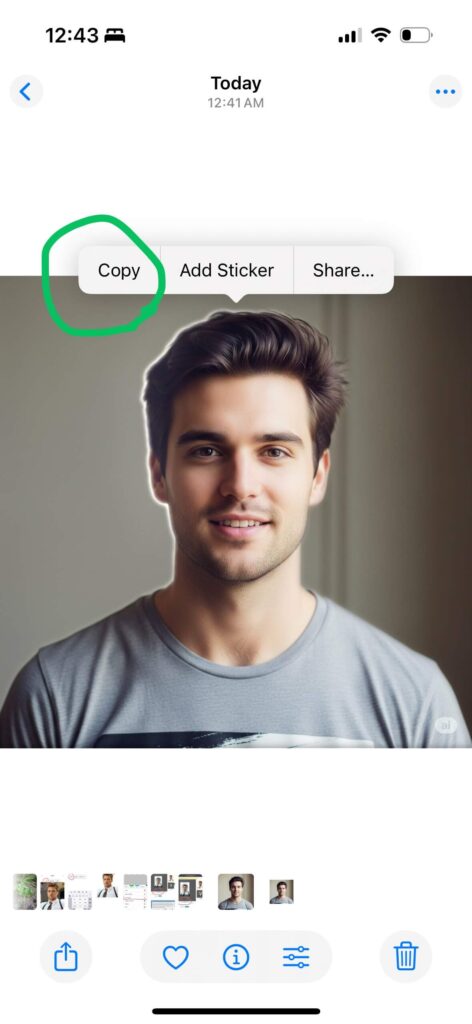
2, Long-press on the subject (yourself) until the edges highlight → tap “Copy”
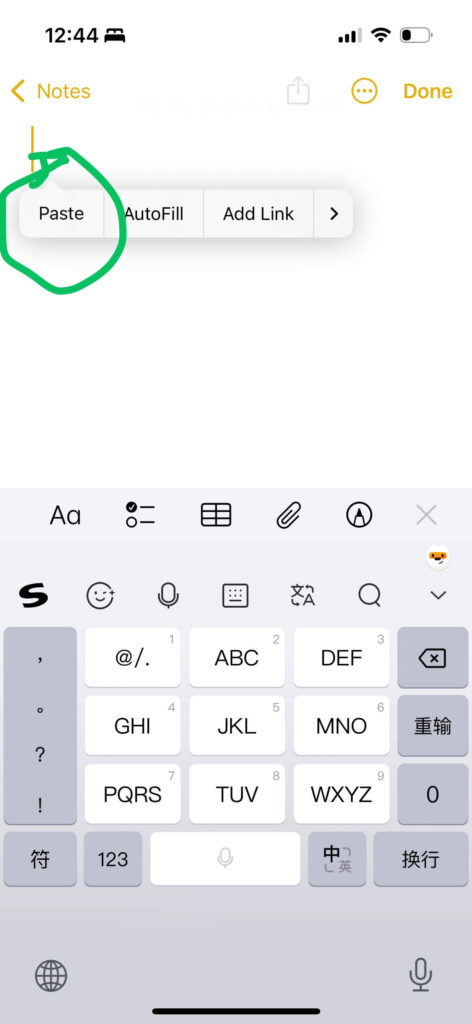
Open the Notes app → create a new note → long-press and select “Paste”
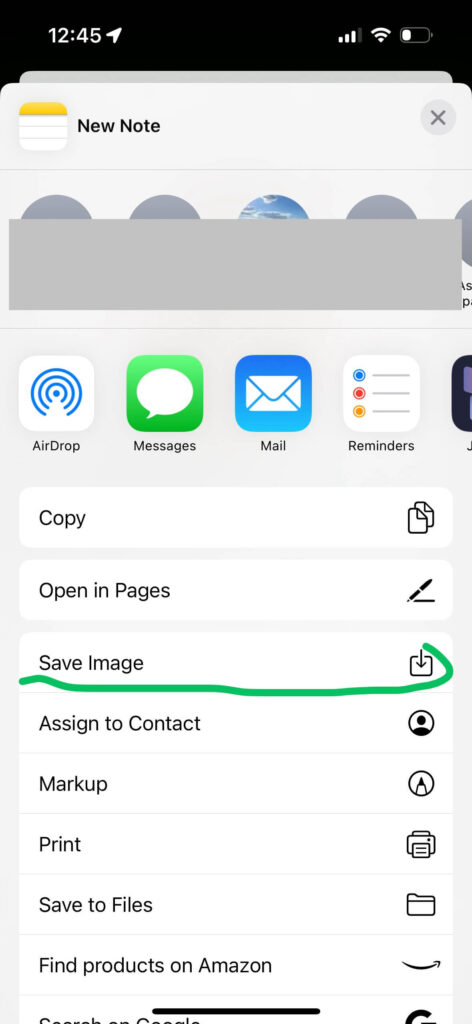
Tap the Share icon → choose “Save Image” — this will save the photo as a white or transparent background

Once saved, upload the image directly to the China visa online application system. Use the built-in tools in the form to adjust cropping and alignment.
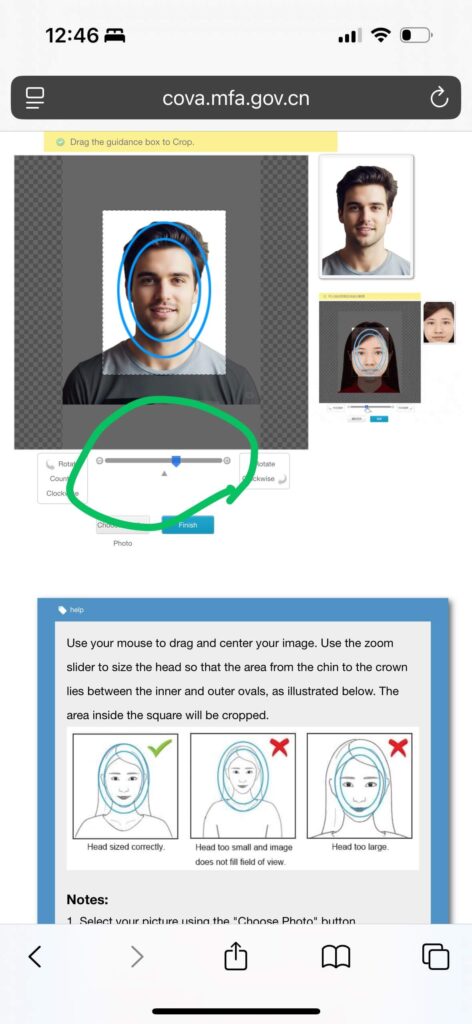
✅ Successful Upload Confirmation
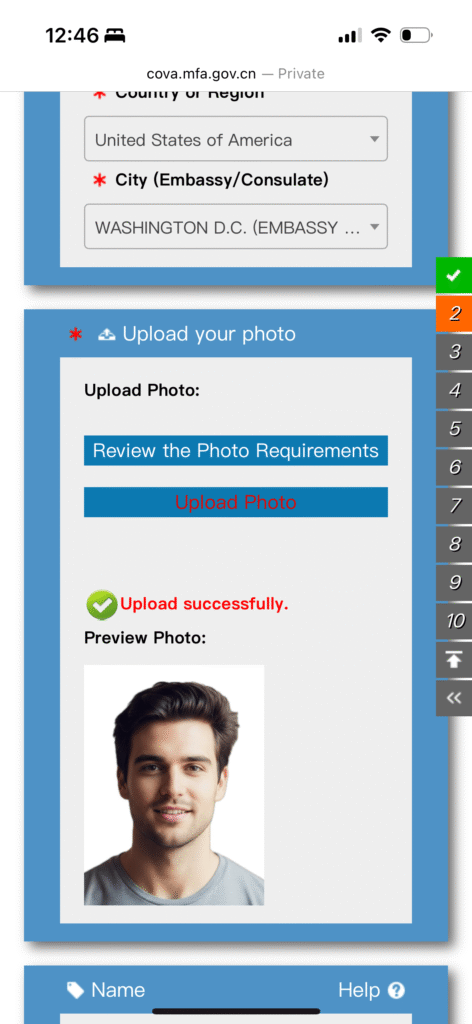
Once the photo is uploaded and formatted correctly, you will see a confirmation screen.
Need Help With the Application?
If you are in a hurry or unsure about the process, you may choose to complete a brief form, and we will assist you by completing the full COVA application form within 24 hours.
👉 Simplified Brief Form – Start Now
For more information about our visa assistance services, visit our China Visa Services page.